What is SaaS escrow?
SaaS escrow is a legal arrangement where a SaaS provider deposits the source code, data, and supporting materials for their application with a neutral third-party agent. If the provider fails, ceases operations, or can no longer support the application, the escrow agent releases those materials to the software user so they can run and maintain the software independently.
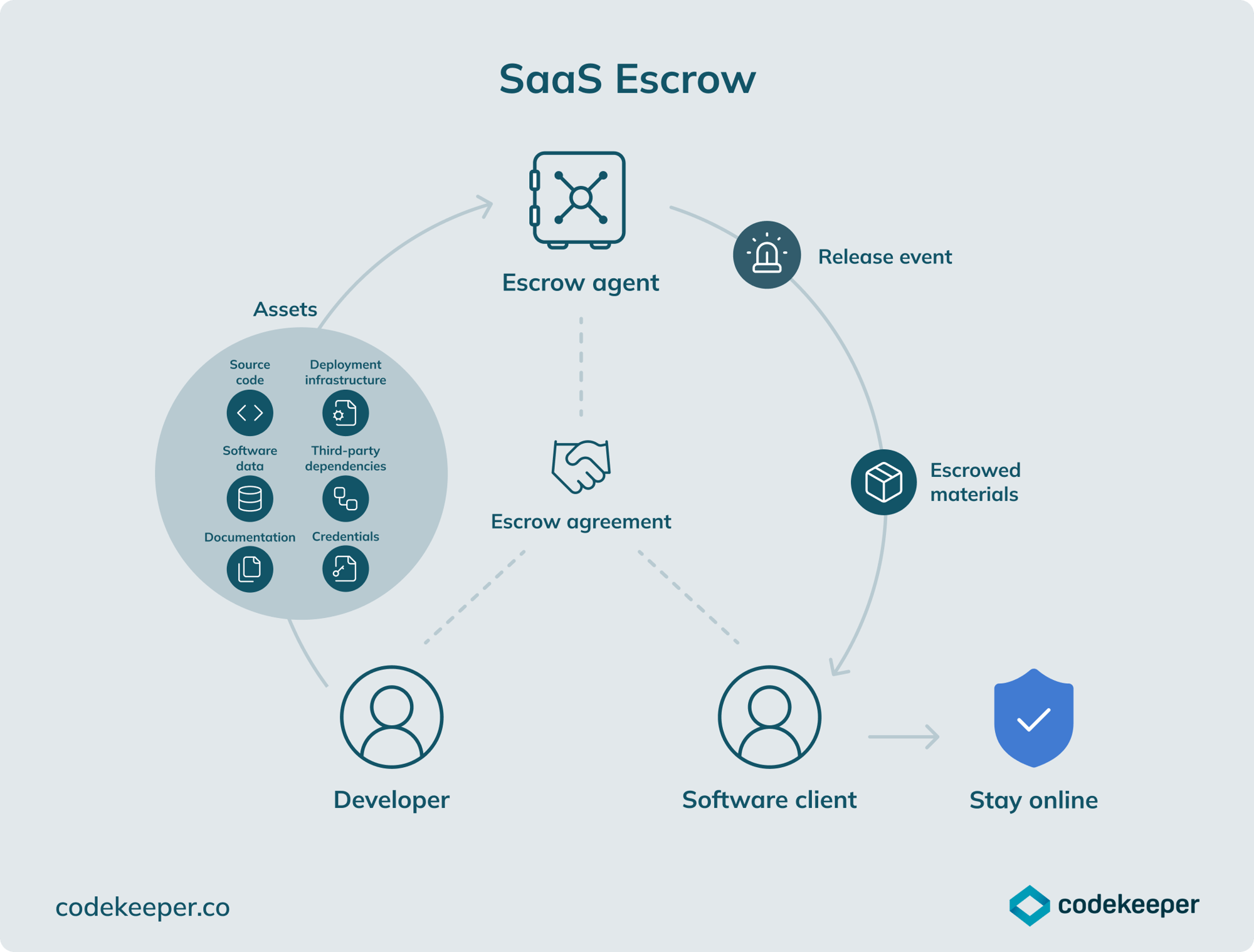
SaaS escrow vs. software escrow: What’s the difference?
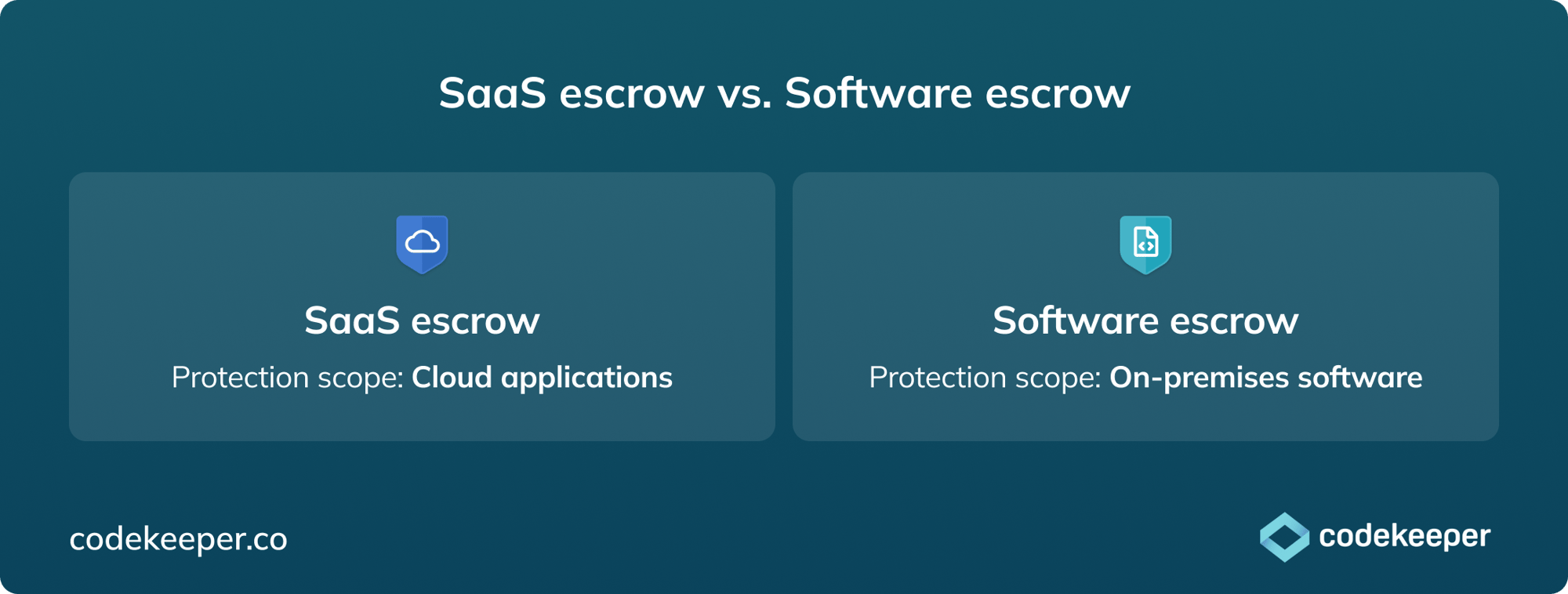
SaaS escrow and traditional software escrow share the same underlying logic: a neutral third party holds critical materials that can be released if a software relationship breaks down.
With on-premises software, you're protecting code. With SaaS, you're protecting a running environment. The software, the data, the deployment configuration, the credentials — all of it lives on the vendor's infrastructure. If the vendor fails, all of it is at risk. Source code alone won't get the application back up and running.
That changes what a deposit needs to cover. Traditional escrow deposits source code. SaaS escrow deposits source code plus deployment configurations, infrastructure-as-code, database snapshots, access credentials, environment variables, and everything else needed to rebuild and run the application somewhere new.
It also changes how deposits need to be maintained. SaaS applications change constantly with new deployments, updated configurations, and live data. Keeping an escrow current is a fundamentally different challenge than depositing source code once a quarter, which is why automated daily syncing is central to how SaaS escrow works.

The cloud doesn't protect you from software risk
Most businesses assume their cloud provider handles continuity. They don't. At least not in the way most people think.
AWS, Azure, and GCP are responsible for the infrastructure: the servers, the network, the storage. They keep those running. What they don't do is protect operations if the SaaS vendor built on top of that infrastructure fails.
If a SaaS vendor goes insolvent, the application goes dark. The data, which is stored on the vendor's infrastructure, may become inaccessible or lost. The vendor's disaster recovery plan, to whatever extent one existed, was designed to recover from technical failures while the business was still operating. It offers no clear recovery path when the business itself no longer exists.
Uptime SLAs don't cover this either. A service level agreement governs performance while the vendor is operational. It has nothing to say about what happens when they're not.
SaaS escrow closes that gap. It moves the continuity question out of the vendor relationship entirely so that when a business fails, dependent operations don't have to.
What SaaS escrow deposits cover
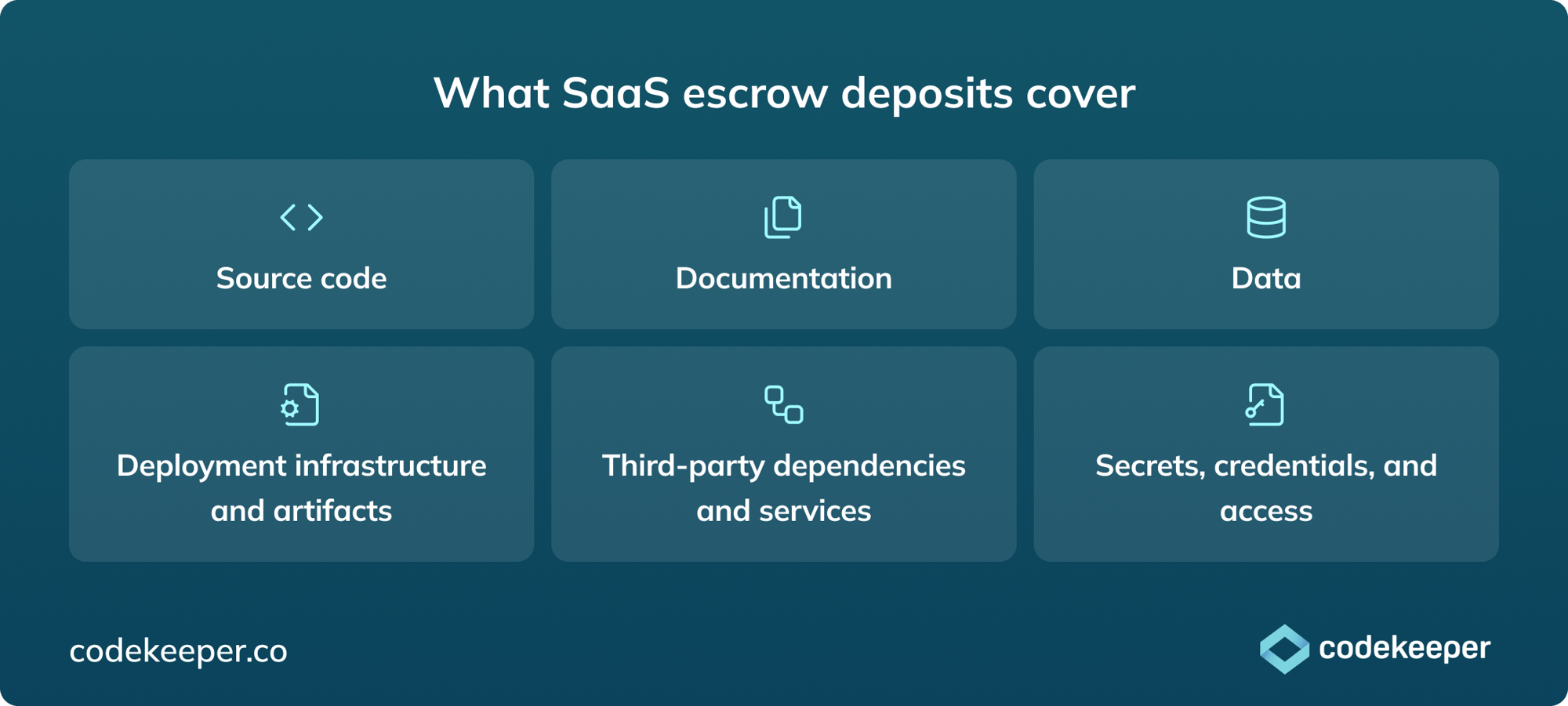
A complete SaaS escrow agreement covers everything needed to rebuild and operate the application independently across six categories:
- Source code: The core source code, scripts, libraries, and dependencies required to rebuild and run the application. This is the foundation, but on its own, it's rarely enough to get a SaaS application back up and running without the rest.
- Documentation: Instructions and technical guides explaining how the software works, how to set it up, and how to maintain it. Without documentation, even complete source code can be difficult to work with under pressure.
- Data: The datasets, configurations, and database exports the application needs to function. In SaaS, data typically lives on the vendor's infrastructure. Protecting it in escrow is what ensures it's accessible if the vendor is not.
- Deployment infrastructure and artifacts: Pre-configured packages of the software ready to launch, plus all the setup files and settings needed to get it working on servers. This includes infrastructure-as-code (Terraform, CloudFormation, and similar), CI/CD pipeline configurations, and environment variables.
- Third-party dependencies and services: External services, libraries, and software dependencies the application relies on. Missing dependencies are one of the most common reasons an otherwise complete escrow deposit fails in practice.
- Secrets, credentials, and access: Passwords and access keys needed to deploy, manage, or restore the software and infrastructure. Without these, the other materials may be present but unusable.
Not every arrangement needs to cover all of this. What's appropriate depends on the application's architecture and what would genuinely be needed to operate independently. Getting this scoped correctly upfront is one of the most important parts of activating a SaaS escrow agreement.
How SaaS escrow works
A SaaS escrow arrangement works the same way as traditional software escrow — three parties, a legal agreement, a deposit, and a release process. The difference is in the complexity. SaaS applications are live, cloud-hosted, and continuously updated, which means every component has to account for that.
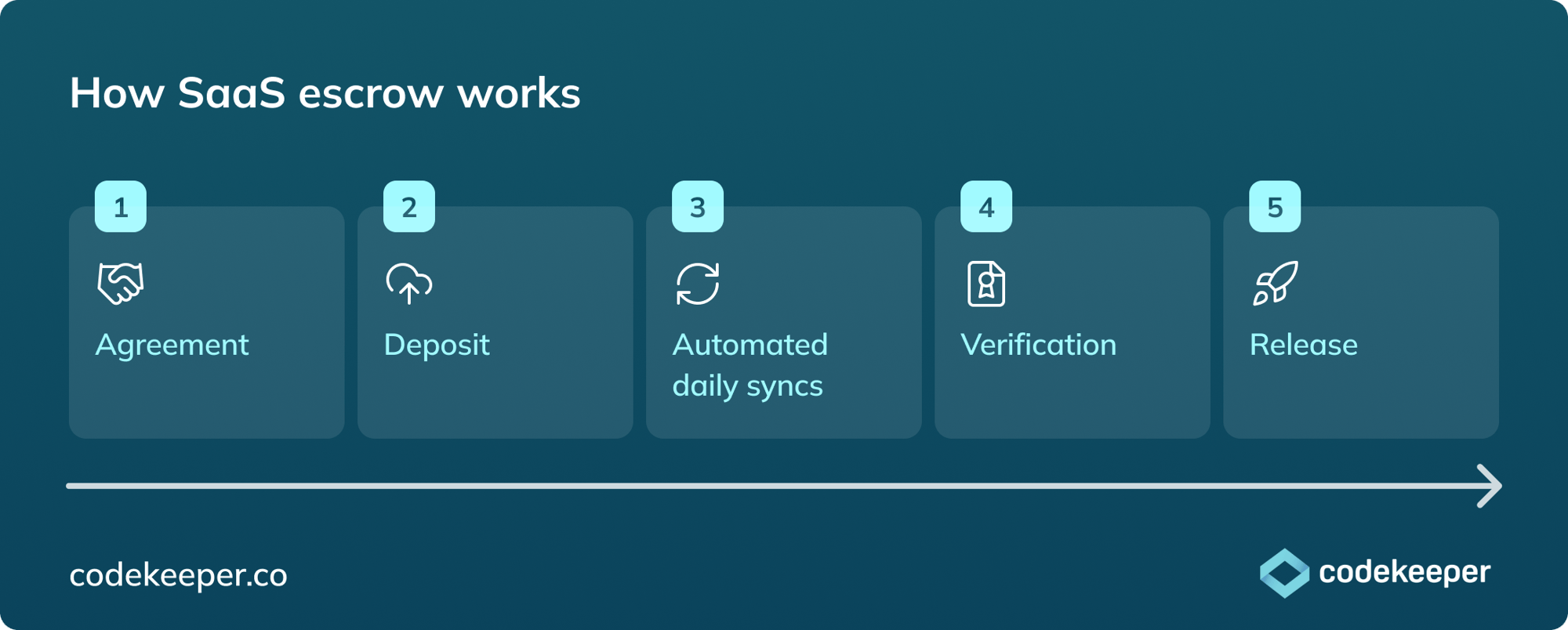
1. Agreement
A three-party legal contract between the SaaS vendor, the customer, and the escrow agent sets out the rules:
-
What gets deposited
-
How often it's updated
-
Under what conditions materials are released
-
What each party's obligations are.
For SaaS, this requires more careful scoping than traditional escrow. The agreement needs to reflect the application's architecture and what would actually be needed in a release event. Jurisdiction selection matters too, particularly for organizations with cross-border compliance obligations.
2. Deposit
The vendor deposits source code, environment configurations, data, credentials, and other agreed materials. For SaaS applications on continuous deployment cycles, this must be automated because manual deposits fall out of date too quickly to be relied on.
3. Automated daily syncs
Deposits stay current through integrations with the vendor's development tools, repositories, and cloud platforms. Codekeeper supports 50+ integrations, including GitHub, GitLab, Bitbucket, AWS, Azure, GCP, and Azure DevOps, syncing automatically every day so the escrow always reflects the live application.
4. Verification
Independent testing confirms the deposited materials are complete, current, and sufficient to rebuild and run the application. For SaaS, this includes cloud deployment verification — standing the application up in a test environment. More on this below.
5. Release
If a qualifying event occurs, the escrow agent manages the process: notifying the vendor, allowing a dispute window, then coordinating secure delivery of materials if the release proceeds. For urgent situations, this process can run around the clock.
If the application runs in a multi-tenant environment (shared infrastructure across multiple customers), the arrangement needs to address how each customer's specific data and configuration is isolated and protected. One practical approach: vendors can deposit containerized versions of their application. Containers are self-contained, cleanly packaged units that isolate the relevant environment and make release and verification significantly simpler.
What triggers a SaaS escrow release?
Release conditions are defined in the escrow agreement upfront, and nothing gets released outside of them. Standard triggers include:
- Vendor insolvency or bankruptcy
- Cessation of business operations
- Failure to maintain or support the application after formal notice
- Material breach of the subscription agreement
- A change of ownership that affects support continuity
For SaaS specifically, it's worth negotiating additional triggers: prolonged or repeated service outages beyond agreed SLA thresholds, vendor failure to maintain adequate data security resulting in a material breach, and unilateral discontinuation of the specific subscription tier or product being relied on.
Note: Receiving the deposited materials doesn't transfer ownership of the software or the underlying infrastructure. The right granted is to use those materials to maintain and operate the application, as defined in the original subscription agreement. The vendor retains their intellectual property.
Verification and certification
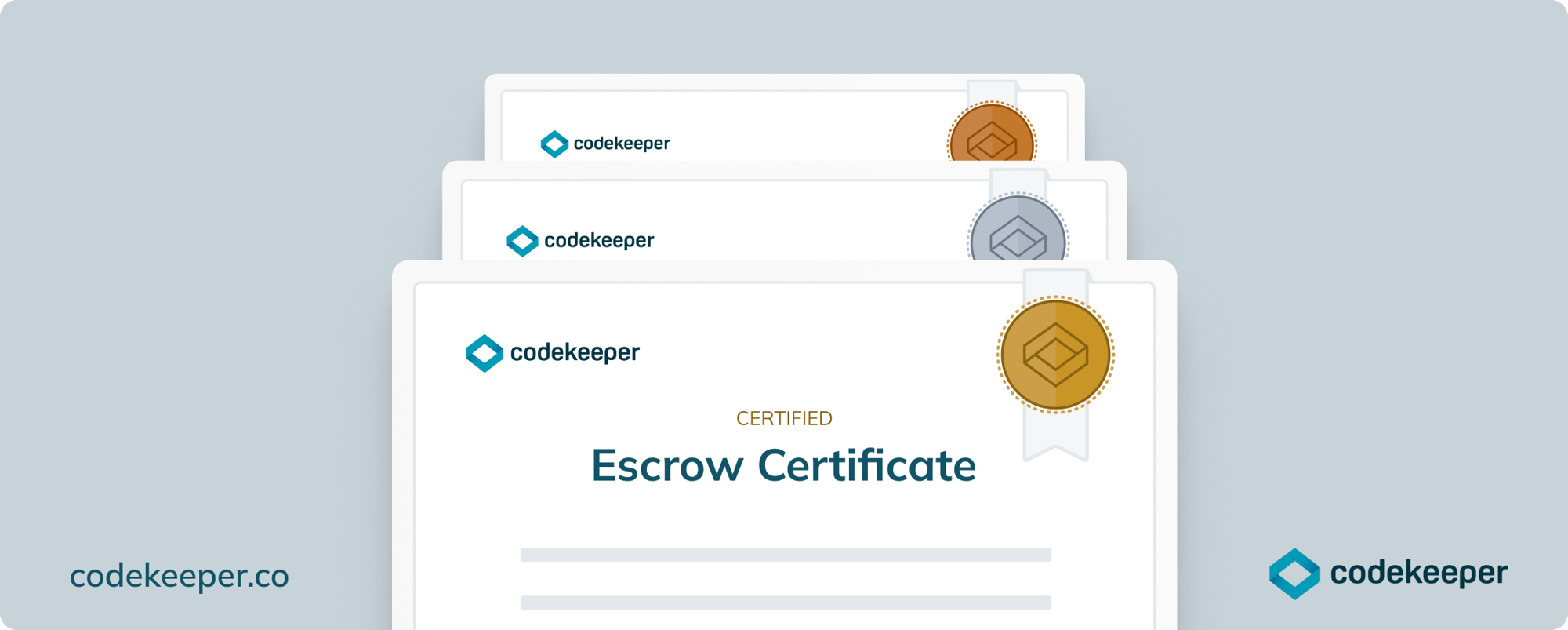
Setting up a SaaS escrow agreement gives the legal right to access materials if something goes wrong. Verification gives confidence that when that right is exercised, everything will work.
Codekeeper offers three verification levels.
- Validated (free) uses automated scans to confirm all required materials were deposited and checks file integrity. It includes a Basic Software Resilience Certificate and is a solid starting point for lower-risk applications.
- Verified adds automated monitoring of deposit activity and file integrity over time, not just at a single point, and includes an Enhanced Software Resilience Certificate.
- Certified is the highest level: expert engineers rebuild the application in a test environment to verify full recovery capability — the right choice for mission-critical applications where recovery needs to be provable. It includes a Premium Software Resilience Certificate.
Who needs SaaS escrow?
Anyone on either side of a SaaS agreement, where the application is mission-critical, and the vendor isn't owned or controlled by the organization depending on it, needs SaaS escrow.
It's particularly worth considering when:
- Operations would be seriously disrupted if a SaaS application went dark tomorrow
- The SaaS vendor is small, venture-backed, or operating in a market that's actively consolidating
- The application has been customized or configured in ways that would be expensive or slow to replicate elsewhere
- Enterprise procurement or legal teams require escrow as a contractual condition
- Regulatory obligations around third-party software risk apply — increasingly common in financial services, healthcare, energy, public sector, and legal services
For vendors, the same dynamic applies as with traditional software escrow: Having escrow in place removes a recurring objection in enterprise sales cycles.
How to set up SaaS escrow
Most of the work happens upfront. Get the scoping right — which applications, what architecture, what recovery looks like — and the rest of the SaaS escrow setup process follows naturally.
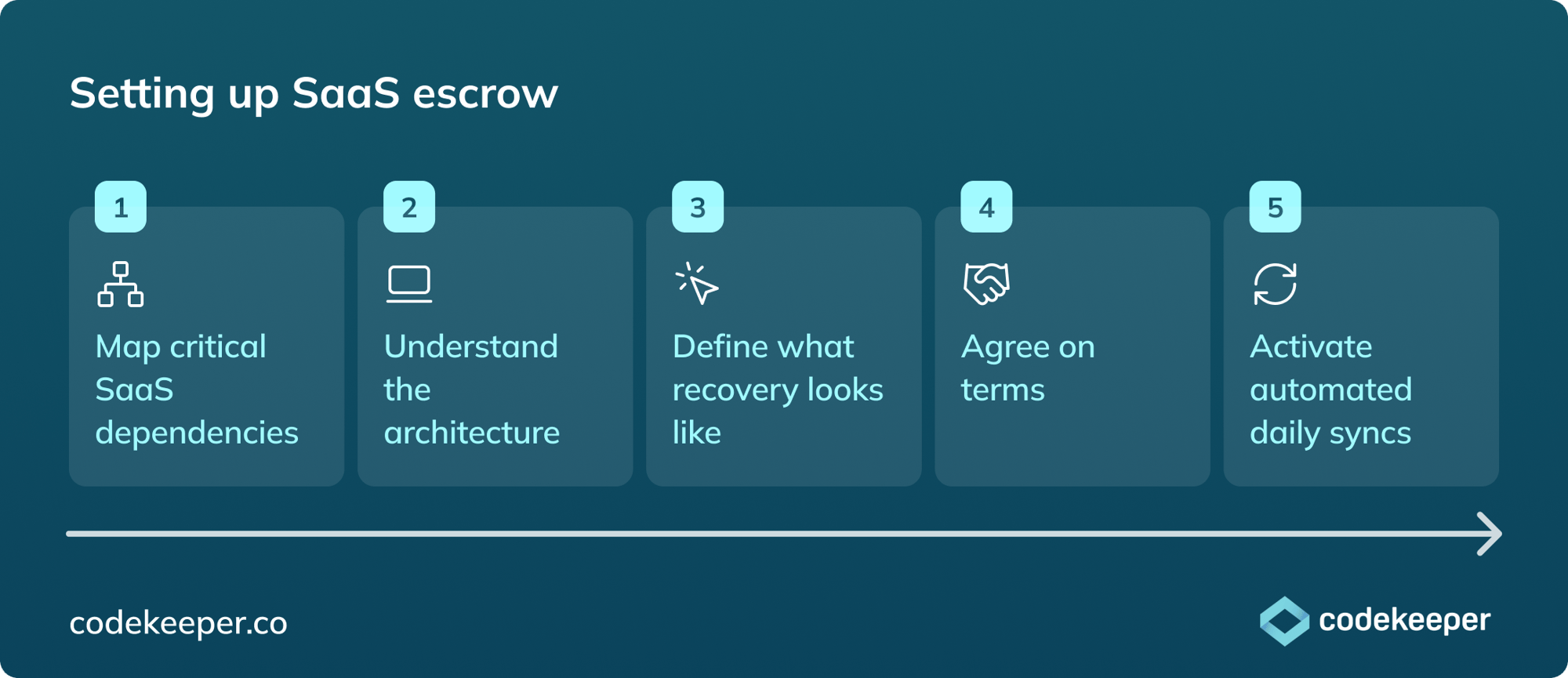
1. Map critical SaaS dependencies
Which applications would cause serious operational or financial damage if they became unavailable? Start there. You can use Codekeeper's risk assessment tool to work through this systematically and get a report to act on.
2. Understand the architecture
Single-tenant or multi-tenant? Which cloud platform — AWS, Azure, or GCP? How is data structured and stored? These answers determine what the deposit needs to cover and how the agreement should be scoped.
3. Define what recovery looks like
How quickly does the application need to be back up and running in a release event? What does "operational" mean in that context? For applications where any downtime is unacceptable, Continuity Escrow may be worth considering alongside SaaS Escrow.
4. Agree on terms
Agree on your SaaS escrow terms, ideally at the same time as the subscription agreement. It's significantly easier to get alignment before the application is embedded than to retrofit escrow later. For SaaS, the technical scoping of deposit materials requires more precision than traditional escrow, so having an escrow provider involved early helps. Codekeeper's in-house legal team handles agreement drafting and can facilitate the conversation.
5. Activate automated daily syncs
Connect repositories and cloud platforms through Codekeeper's integrations. From that point, deposits update automatically every day without any manual intervention.
Cloud software needs cloud-ready protection
SaaS made software easier to access and harder to protect. When everything runs in the cloud on someone else's infrastructure, the risk doesn't disappear — it just moves somewhere less visible. A vendor failure, an acquisition, a service shutdown: any of it can take down applications your business depends on, along with the data, configurations, and credentials behind them.
SaaS escrow exists because source code alone was never enough to protect a running cloud environment. It covers the source code, data, deployment configurations, credentials, and dependencies — so that when something goes wrong, you have everything you need to keep going.